Jorge Varela Zamora
Welcome to my Portfolio!
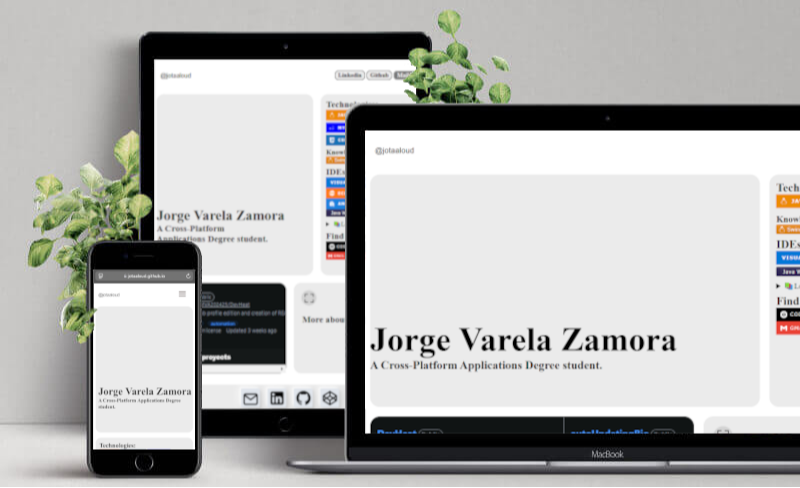
Click on the photo to visit the live site.
⚡ Tech Stack
This project leverages the latest standards in web development:
- React 19: Built on the cutting-edge version of React.
- TypeScript: Ensuring type safety and a robust development experience.
- CSS Modules: For scoped, maintainable, and collision-free styling.
- Modern CSS: Utilizing CSS variables and native features for a responsive and themable design.
- Vite: A fast build tool for modern web development.
- react-svg-inliner: A React component for inlining SVG images.
🚀 Getting Started
Follow these steps to run the documentation locally on your machine.
1. Clone the Repository
If you haven’t already, clone the codejovz.github.io repository:
git clone https://github.com/codejovz/codejovz.github.io.git
2. Navigate to the Project Directory
Switch to the codejovz.github.io folder where this web application resides:
cd codejovz.github.io
3. Install Dependencies
Install the necessary dependencies using npm:
npm install
4. Run the Development Server
Start the local development server:
npm run dev
Open http://localhost:5173 with your browser to see the result.
📂 Project Structure
This project follows a Feature-Based Architecture. This keeps related code collocated, making it easier to maintain and scale.
├── public/              # Static Assets (Google, company logos)
├── src/
│   ├── features/
│   │   ├── resumee/     # Subcomponents and utils for resumee
│   │   └── showcase/    # Subcomponents and utils for showcase
│   ├── App.tsx          # Main application component
│   ├── App.css/         # Main application styles
│   ├── Menu.tsx/        # Menu component
│   └── ...
├── index.html           # Loads script for Google's font.
└── ...
src/: Contains the main application logic. Each folder represents a component (e.g.,/resumee,/showcase), encompassing its own page, layout, and specific styles with*.module.css.